 ANDON
ANDON
01Board
Native client for Xcode Cloud · iPhone & iPad
Is everything green?
Andon is the andon board of your CI, in your pocket: every app and workflow on one screen, and the cord to pull when one turns red.

iOS 26 · iPadOS 26 · an App Store Connect API key
| Station | Workflow | Run | Elapsed | Status |
|---|---|---|---|---|
| Andon | CI | #128 | 4m 12s | Running |
| Andon | Nightly | #127 | 13m 06s | Passed |
| Beacon | CI | #341 | 8m 47s | Failed |
| Compass | — | — | — | Not set up |
0 taps to know
02Operation
Look, read, pull the cord.
Three moves. Everything else in the app serves one of them.
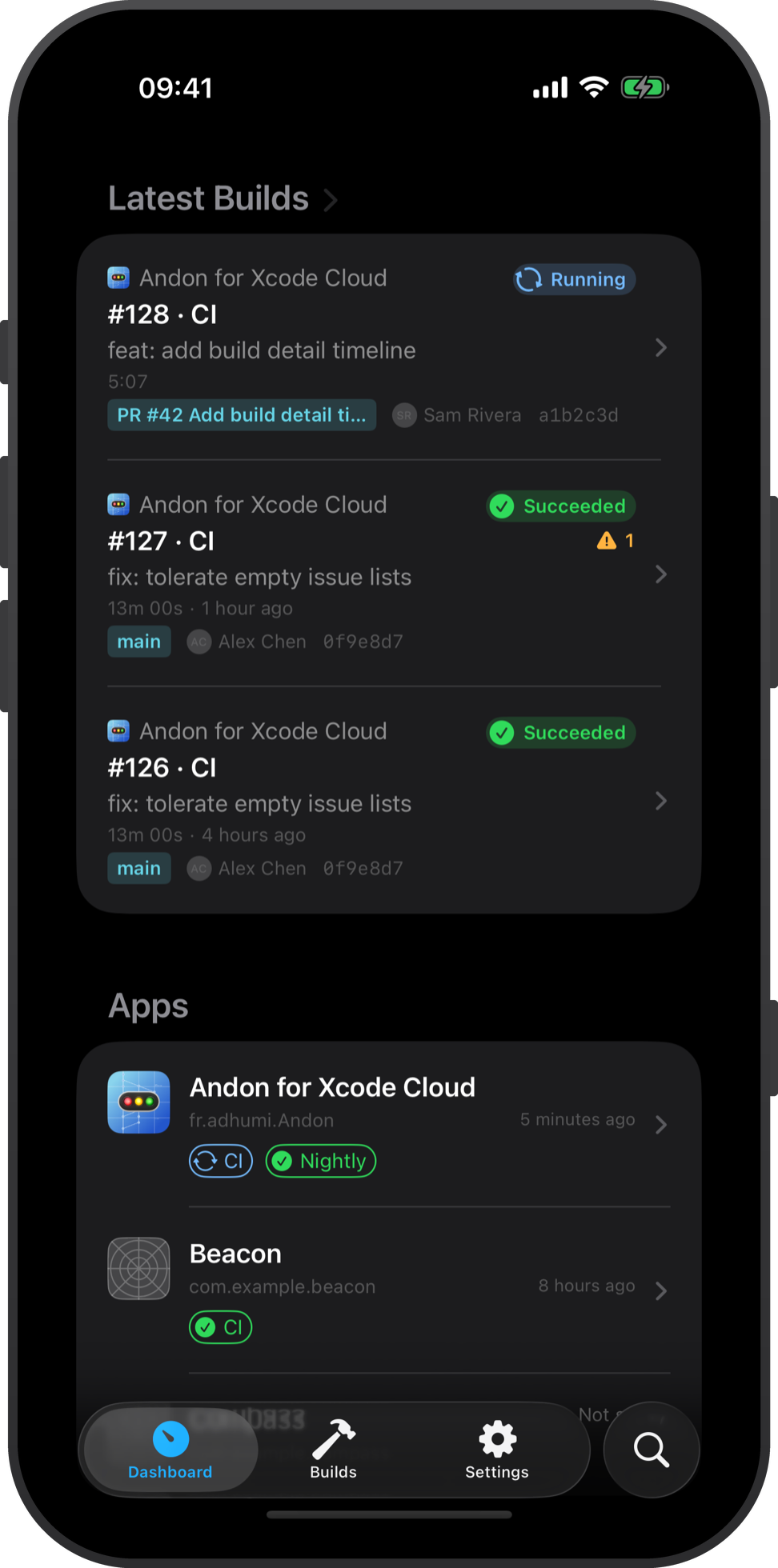
Running builds with progress per action, recent failures on top, health per app.
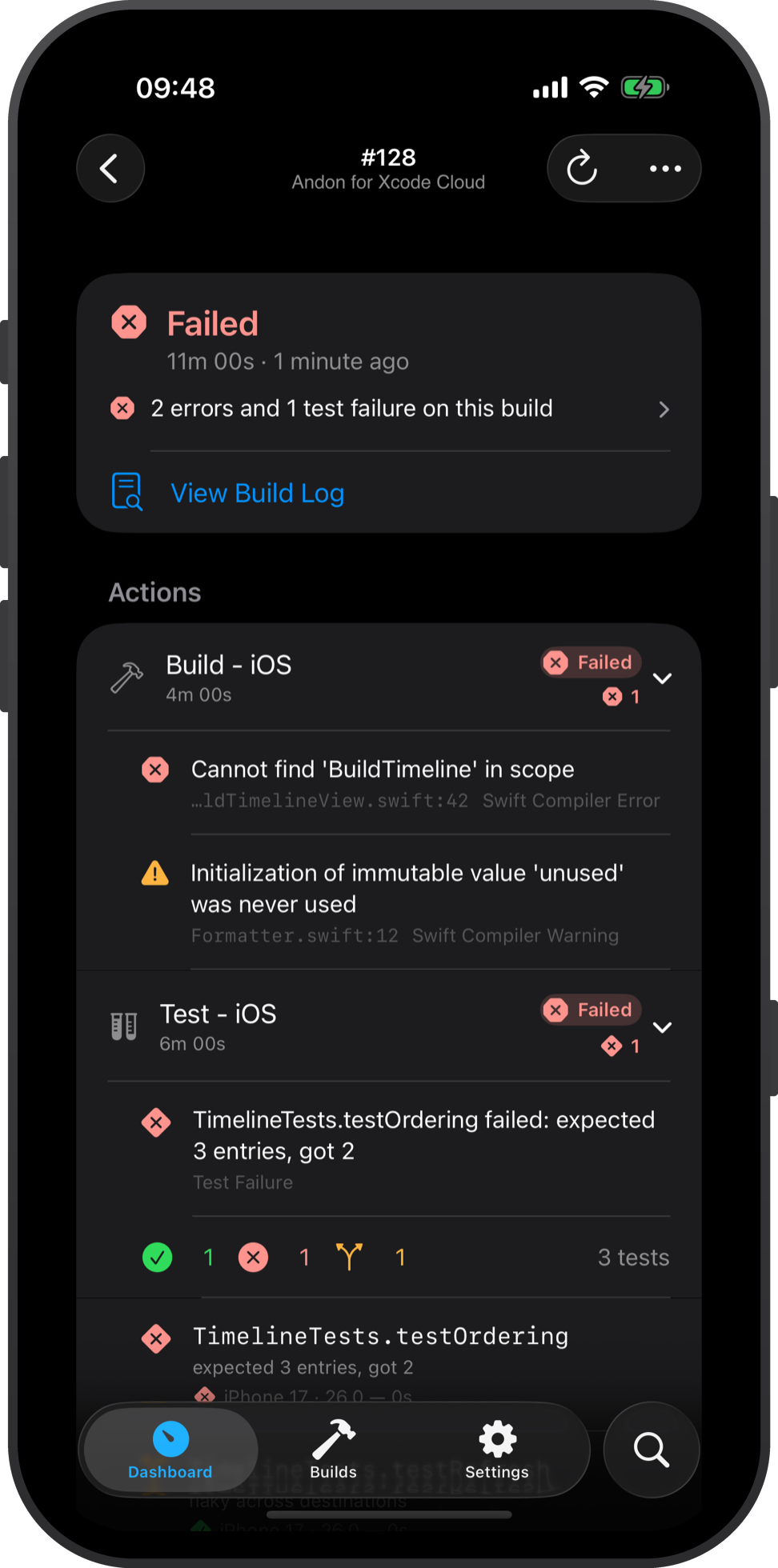
Compiler errors with file and line, failing tests per destination, full logs and artifacts.
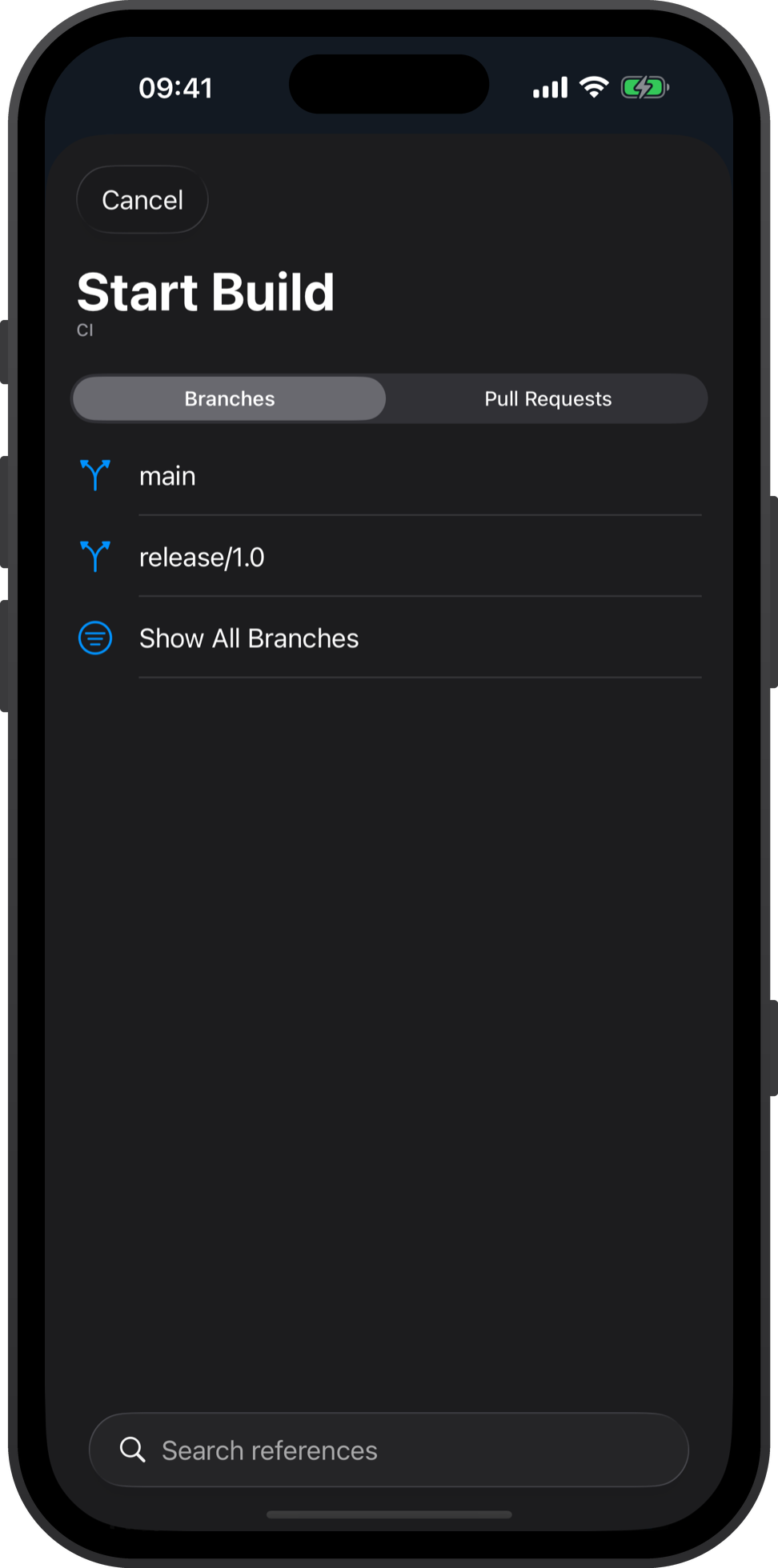
Start or retry a build on any branch, tag or pull request. Toggle a workflow, or edit one.
03Spec
The whole datasheet.
Including the last row.
| Platform | iPhone and iPad, iOS 26 and iPadOS 26. Pure SwiftUI — no web view. Sidebar, split view and keyboard shortcuts on iPad. |
|---|---|
| Builds | Every run per app and workflow: action timeline, compiler issues with file and line, test results per destination, logs and artifacts. Open the offending file in GitHub, at the right commit. |
| Actions | Start a build on any branch, tag or pull request. Retry any run. Toggle a workflow, edit one, or create one — environment variables included, secrets write-only. |
| TestFlight | Beta groups, public link and its QR code, “what to test” drafted from your commits, tester feedback and crashes. |
| Insights | Build duration trends, success rate, and a drift verdict per workflow — “24 % slower than the previous 30 days”. |
| System | Home, Lock Screen and StandBy widgets. Shortcuts, Spotlight, Control Center. |
| Sign-in | None. An App Store Connect API key (.p8), imported in about two minutes. No account to create. |
| Data | Stays on the device. The key lives in the Keychain, marked this-device-only. Andon talks straight to Apple’s API — no Andon server, no analytics, no trackers. |
| Offline | Everything already seen stays readable. Actions need the network, and fail saying so. |
| Accessibility | Full VoiceOver, Dynamic Type to the largest accessibility sizes, Reduce Motion. Status is never colour alone. |
| Price | One-time purchase. No subscription, no tiers. |
| Not included | Setting up Xcode Cloud for a project — Apple’s API cannot, so no app can; do it once in Xcode. Cancelling a running build — no public endpoint. Push notifications — they would need a server, and there is none. |
Nothing in the middle. Requests are signed on-device with short-lived tokens and sent straight to Apple over TLS. There is no service of ours to trust, breach, or subpoena.